
Before you start
Open a personal set with dice or a filled bag.
What you will make
A repeatable turn: roll the selected pieces, keep or reroll dice, then move on.
Start with an example
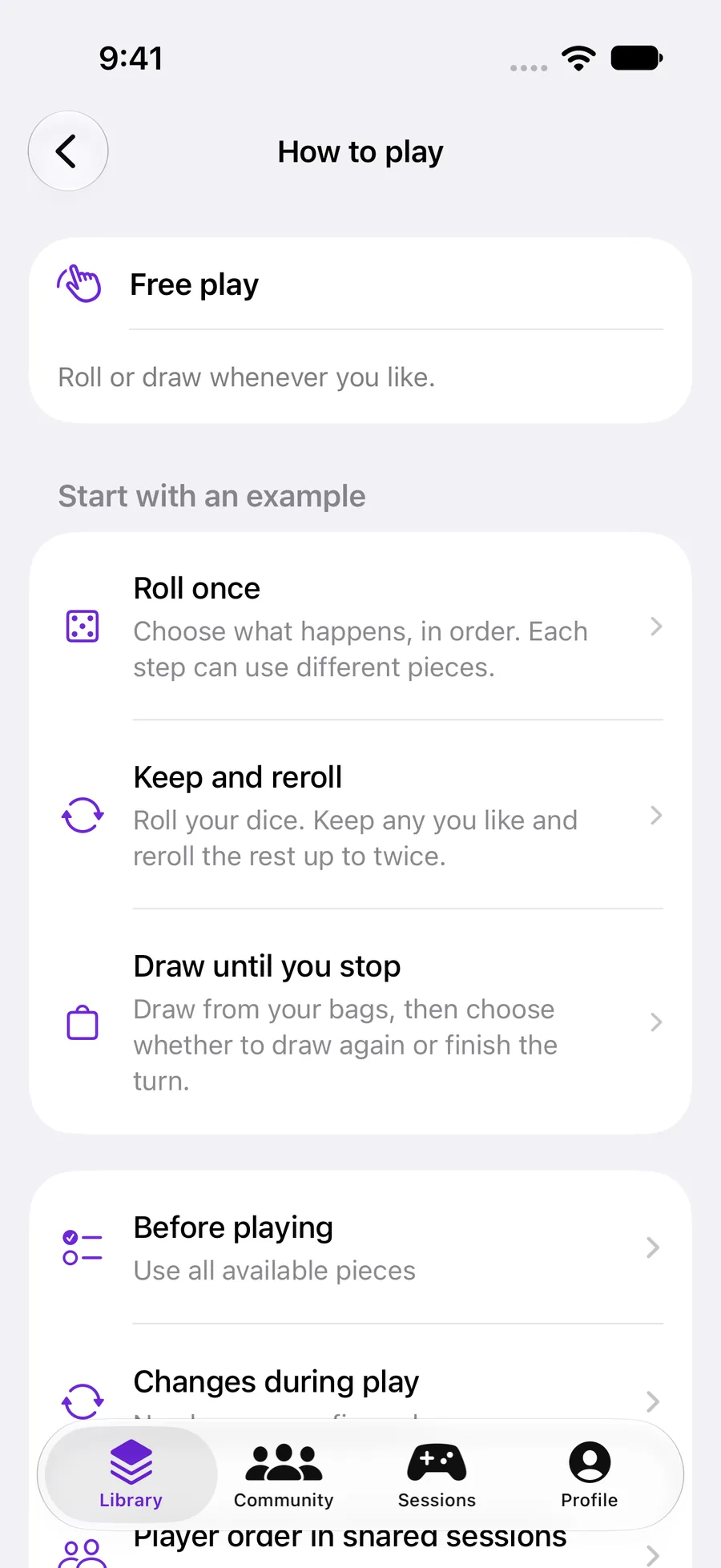
Open How to play. With no sequence configured, the set uses Free play. Choose Keep and reroll under Start with an example. The preview describes an initial roll and up to two rerolls. Tap Use this example to apply it.
Roll once and Draw until you stop are other starting points. Examples are available when the set contains the pieces they need. Player order in shared sessions separately controls who plays next.
 Enlarge screenshot ↗︎
Choose the pieces for a step
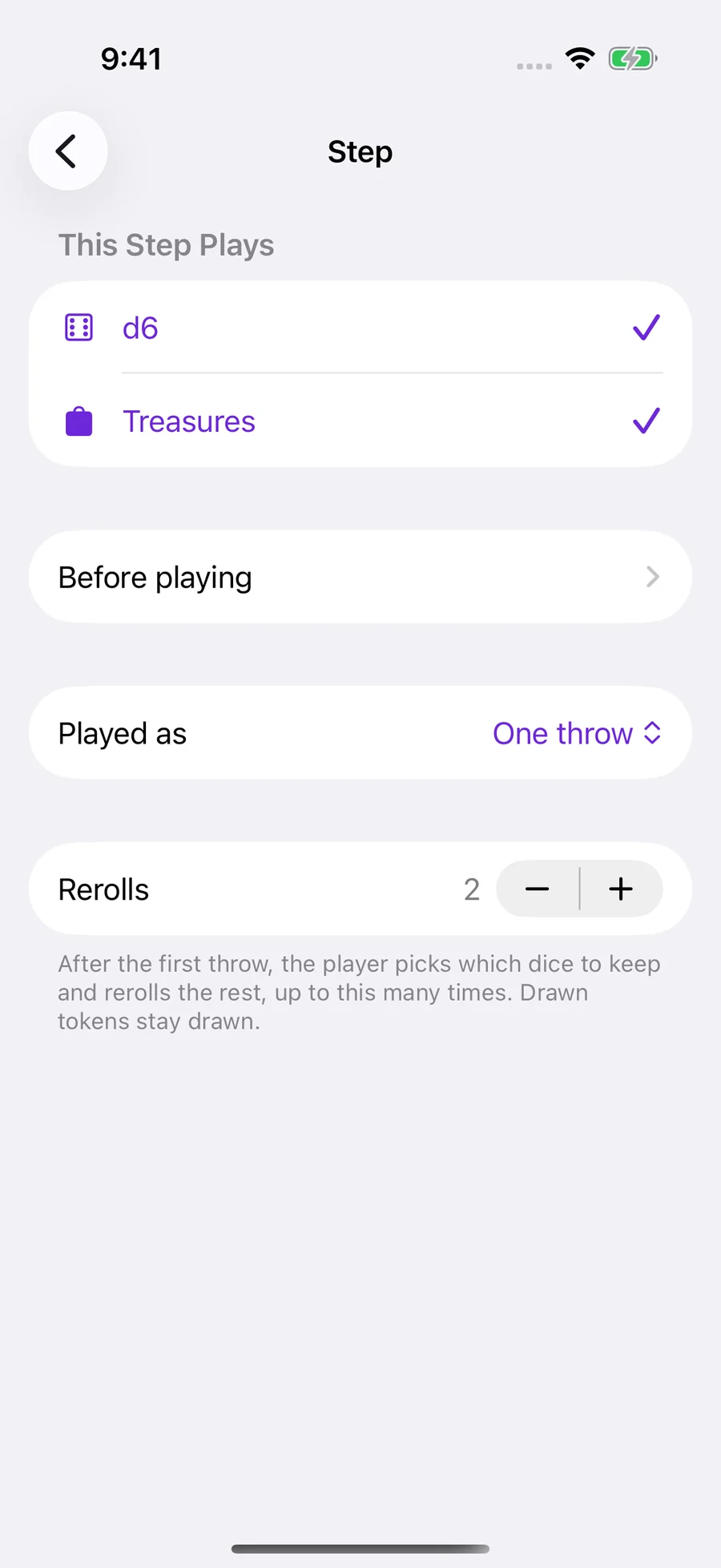
After applying the example, open its step in How to play to choose the dice and bags it uses. Keep at least one selected. Add Step creates another action when you need one.
For a movement roll, select one d6. For a mixed action, select both the die and a bag. Dice extracted from a bag must be rolled before that action can finish.
 Enlarge screenshot ↗︎
Let the player choose within a step
This Step Plays defines which components belong to the step. Before playing lets the player choose among those eligible pieces each time they play.
A step inherits the set’s selection settings. Open How to play → Before playing → Customize for this step to give it a different mode, quantity or return timing. For example, a step containing five dice can ask the player to choose two.
That choice stays fixed through the step’s rerolls. The player can keep and reroll the chosen dice, but cannot bring an unchosen die into the reroll.
Choose how the step plays
Set Rerolls to 2 to allow an initial throw plus up to two more throws. The player can keep dice and reroll the others. Tokens already drawn stay drawn.
When a bag is selected, Played as also offers Draw until you stop. Use that for a step where the player repeatedly draws and decides when to stop, instead of making a fixed throw.
Build the rest of the turn
Return to How to play and add a step for the next action. Use Edit to reorder or remove steps. For example, roll a movement die first, then draw treasures.
Turn structure chooses whether a player completes the sequence or the table advances by steps. Start with Each player, in turn when the whole sequence belongs to one player.
Use Written rules to explain what results mean. Use Changes during play for purchases, conditions and inventory changes. Return to the overview and choose Try this setup to test the sequence.
YOUR TEST
Check it works.
Play through a complete turn. Check the selected pieces at each step, keep one die, use both rerolls and verify that another reroll is not offered after the limit.
If something feels off
Why did the token not come back when I rerolled?
Rerolling dice does not undo a bag draw. Bag return settings and, in an evolving game, inventory actions govern where tokens go.
I edited the set, but the current game still uses the old settings.
An existing game keeps the configuration it started with. Finish that game and start a new one to use the edited selection or turn program.
A step does not behave as expected.
Check that it still selects existing pieces. After removing a die or bag from a set, revisit the program and test the sequence again.