
Before you start
Complete the phases and reserves guide first. Keep a Ruby supply and an acquisition pointing to the Treasures bag so a grant has a valid destination.
What you will make
A manually confirmed objective can grant one ruby from round two onward, once per game for its recipient.
- Confirm the objective
- Check round and limit
- Grant one ruby
Try a guided change first
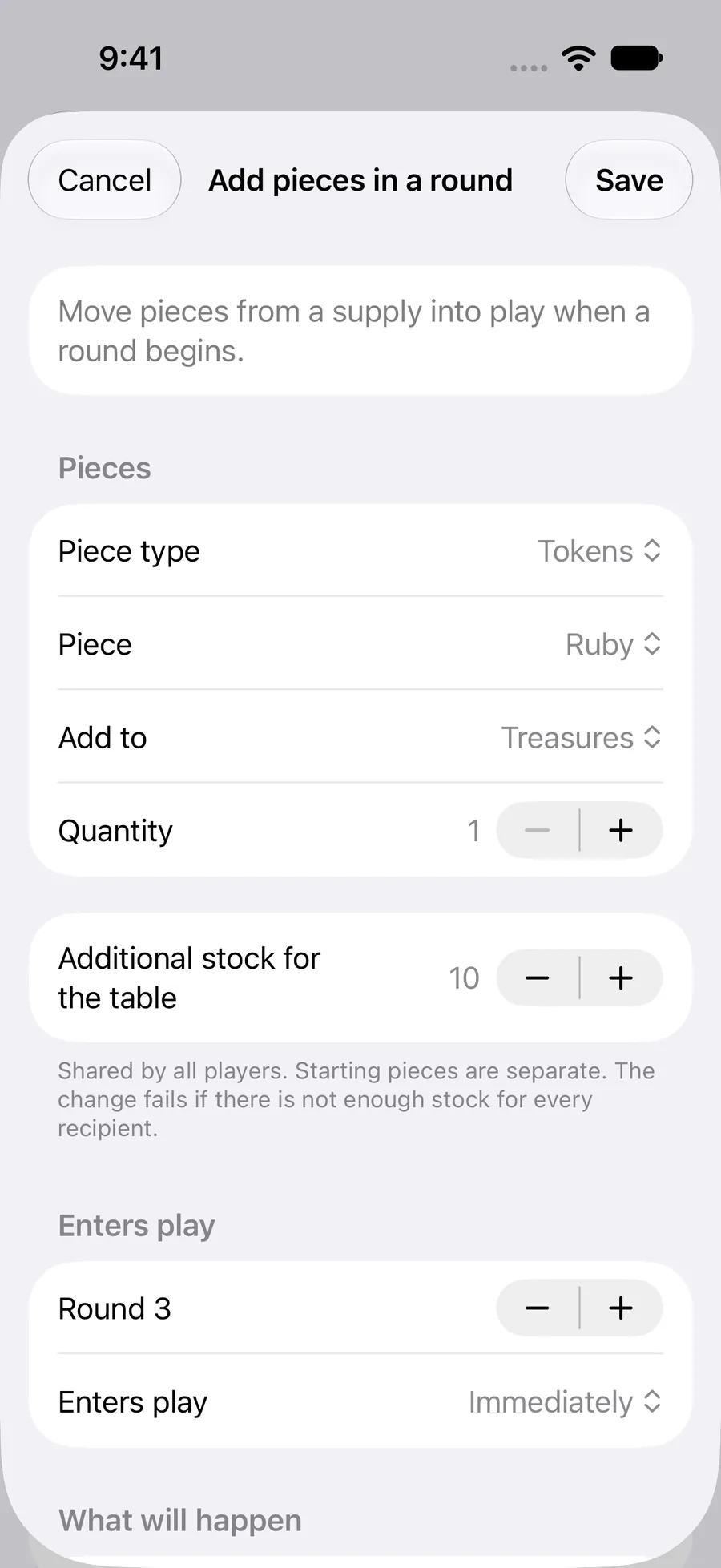
In How to play → Changes during play, Add pieces in a round asks for a piece, destination, quantity, extra stock and round. Review What will happen before saving.
Confirm a board event is another example: a person confirms an event on the physical board. Rollnook cannot see that event on its own. The following steps show how to build a custom condition in All settings.
 Enlarge screenshot ↗︎
Start with the event
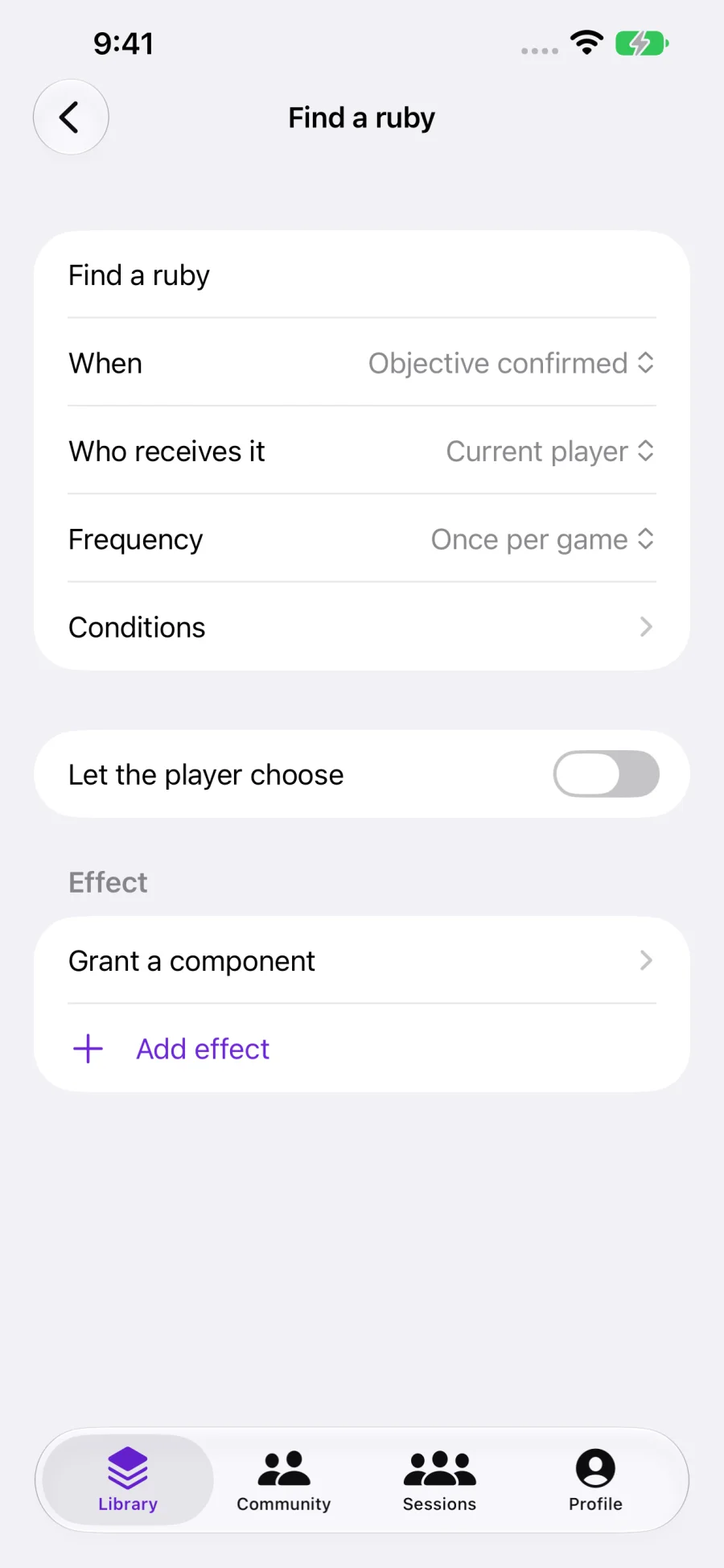
Open How to play → Changes during play → All settings → Progression rules, then Add rule. Name it Find a ruby. Set When to Objective confirmed and Who receives it to Current player.
Objective confirmed is for events outside the app, such as completing a task on a physical board. Rollnook needs a person to confirm them. Other triggers respond to Round starts, Turn starts, Phase starts or Roll or draw completed.
Set Frequency to Once per game for this example. Use a per-round or per-event frequency only when the reward should be repeatable.
 Enlarge screenshot ↗︎
Add the condition
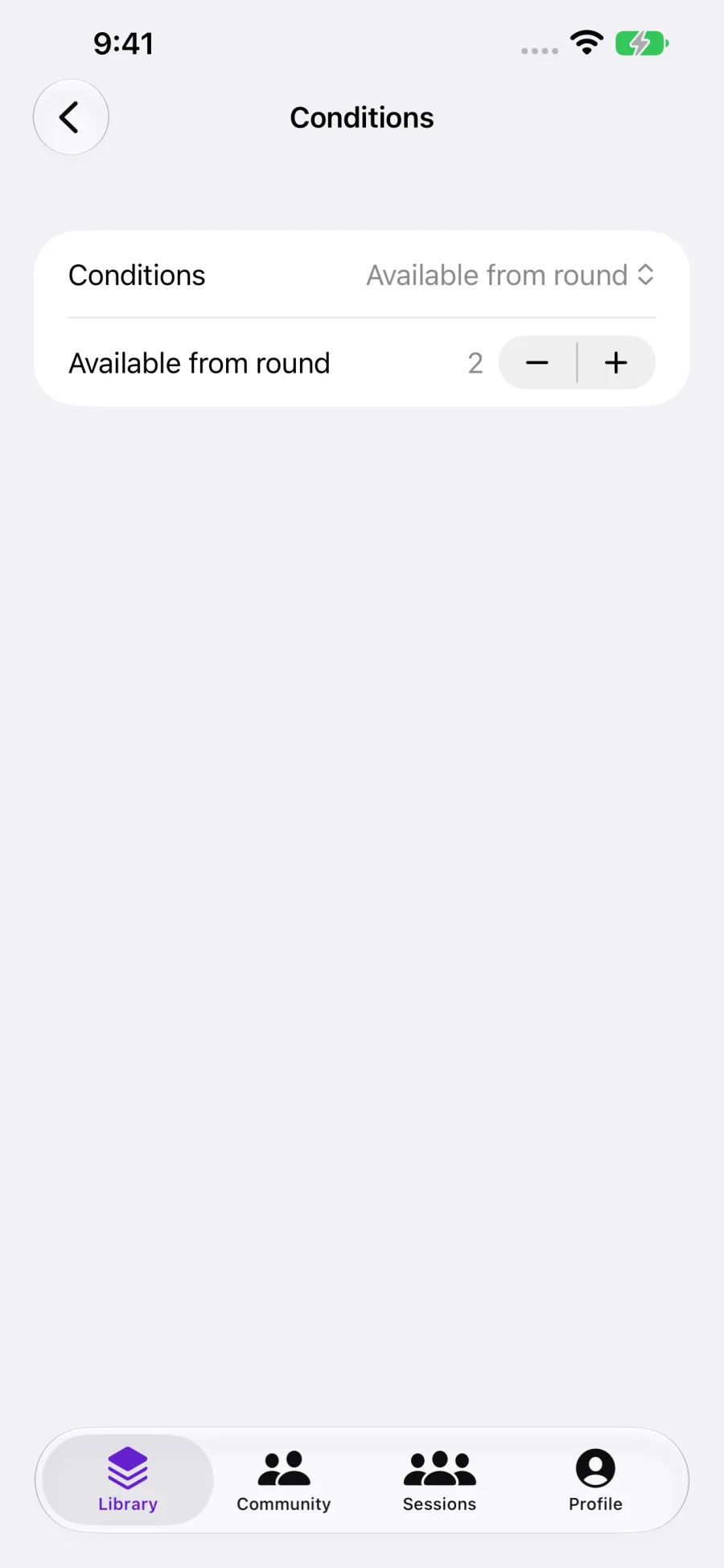
Open Conditions, choose Available from round and set it to 2. This checks that the game has reached round two or later when the objective is confirmed.
A condition does not fire a rule on its own. For a reward given automatically when round two starts, use Round starts as the event, Available from round 2 as the condition and Once per game as the frequency.
 Enlarge screenshot ↗︎
Choose the effect and its timing
Tap Add effect, open the effect and choose Grant a component. Select the Ruby supply, Treasures as the destination, quantity 1 and Enters play → Immediately.
A grant still needs stock. If it should wait, select Next round, Next turn or Next phase instead. The piece then waits in reserve until that transition.
A rule can instead adjust a resource, move pieces, unlock an acquisition or replace a die. Add only the effects you need and test each change before combining them.
Combine conditions only when needed
All conditions requires every nested condition to pass. Any condition requires at least one. Condition is not met reverses its nested condition.
For example, a reward might require round two or later and a previously unlocked objective. Resources can be checked after you define them. Roll total checks a minimum total, so use it with an accepted-result trigger.
Let the player choose turns the reward into options. Give every option a clear name and configure its effects so the player understands the choice.
YOUR TEST
Check it works.
Start fresh. The objective should not award the ruby in round one. Confirm it in round two: one ruby should enter the chosen bag and shared stock should decrease by one. Confirm again: the once-per-game limit should prevent a second award to the same recipient.
If something feels off
I wrote the rule in the Rules field. Why is nothing automatic?
Written rules explains the game. Automatic behavior is configured in How to play. Keep the explanation alongside the settings so players understand both.
A condition is true but the reward did not happen.
Check the trigger event, recipient, frequency and available stock. A true condition alone does not run an effect. An external objective also needs manual confirmation.