
Before you start
Have a playable set, Rollnook and an internet connection on every device. Shared sessions require an account; follow the in-app sign-in prompt.
What you will make
A shared table your group can join with a code, using the host's selected set.
Create a session with your set
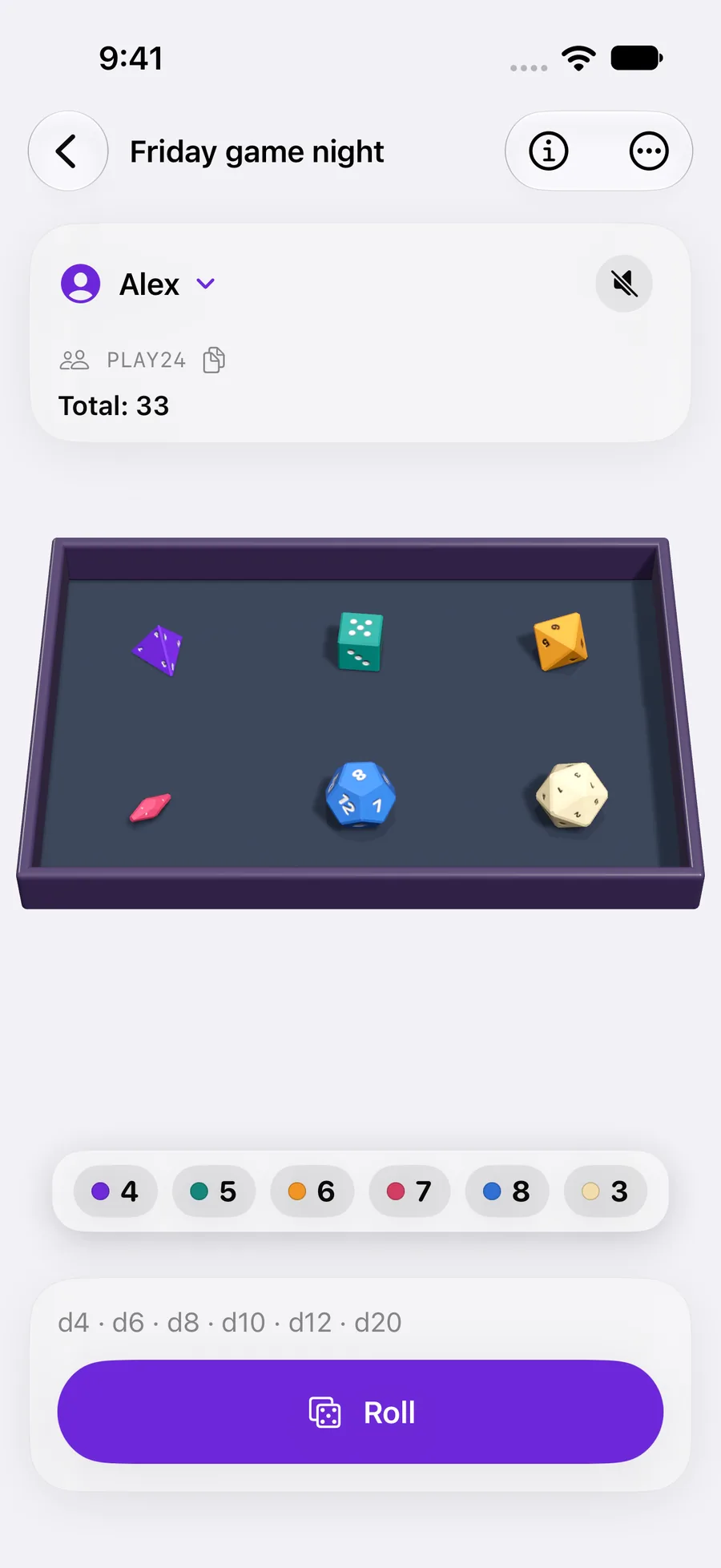
Open Sessions and tap Create Session. Select a set and optionally give the session a name. Leave the name empty to use the set's name, then tap Create.
Configure your set before creating the session. The session uses the configuration prepared for that table; editing your library later is not a way to change an active game.
 Enlarge screenshot ↗︎
Share the session code
Give the code to your group. On each other device, open Sessions → Join with a code and enter the code from the host.
The names and codes shown in tutorial screenshots are examples. Use the code generated for your own session. Keep the session open and make sure each player has a connection.
Voice chat is not built into Rollnook. Use your usual voice or video call if you are playing from different places.
Check the table before the first roll
Check the player list and the turn mode. If the set has personal piles, have players claim the right ones. Unclaimed piles remain shared.
Before inviting the group, use Try this setup in the set editor to check the rules privately. In the shared session, make a test roll together and verify that everyone sees it. Follow the turn sequence, current phase and Inventory when configured.
Share the remaining pieces
With Before playing enabled, the active player opens Choose pieces and confirms with Use selection before rolling or drawing. Personal piles still belong to their players; a shared selection does not transfer ownership.
For shared drafting, set the pieces to Shared, use Shared pieces only and return them Next round. The next player sees the pieces nobody has used yet. Advance the round to restore the group, or let the host use Return chosen pieces when manual return is configured.
Advance, finish or close deliberately
Move to the next turn, phase or round when the game calls for it. Resolve pending choices before continuing. In a shared evolving game, the host controls progression of the table.
Finish game ends the current evolving game. End Session closes the shared session. They have different scopes, so read the confirmation before ending play. Starting a new game resets its inventory and progress.
If a request fails, keep the session open and retry after the connection returns. Do not create a second session just because a result is taking time to arrive.
YOUR TEST
Check it works.
Join from a second device, make one roll or draw and verify that both devices show it. Advance a turn and check which player can act next.
If something feels off
My set is missing from the creation screen.
The screen lists playable sets. Check that the set contains valid dice or a nonempty bag, and that its required components are still in your library.
The session code does not work.
Ask the host to check the code and that the session is still open. Check connectivity on both devices, then try again.