
Before you start
In Library, tap + → New Set → Bag of tokens. To add one to an existing set, open Pieces → Add bag → Add a token bag.
What you will make
A set containing a token bag, with deliberate quantities, return and refill settings.
Open the bag component
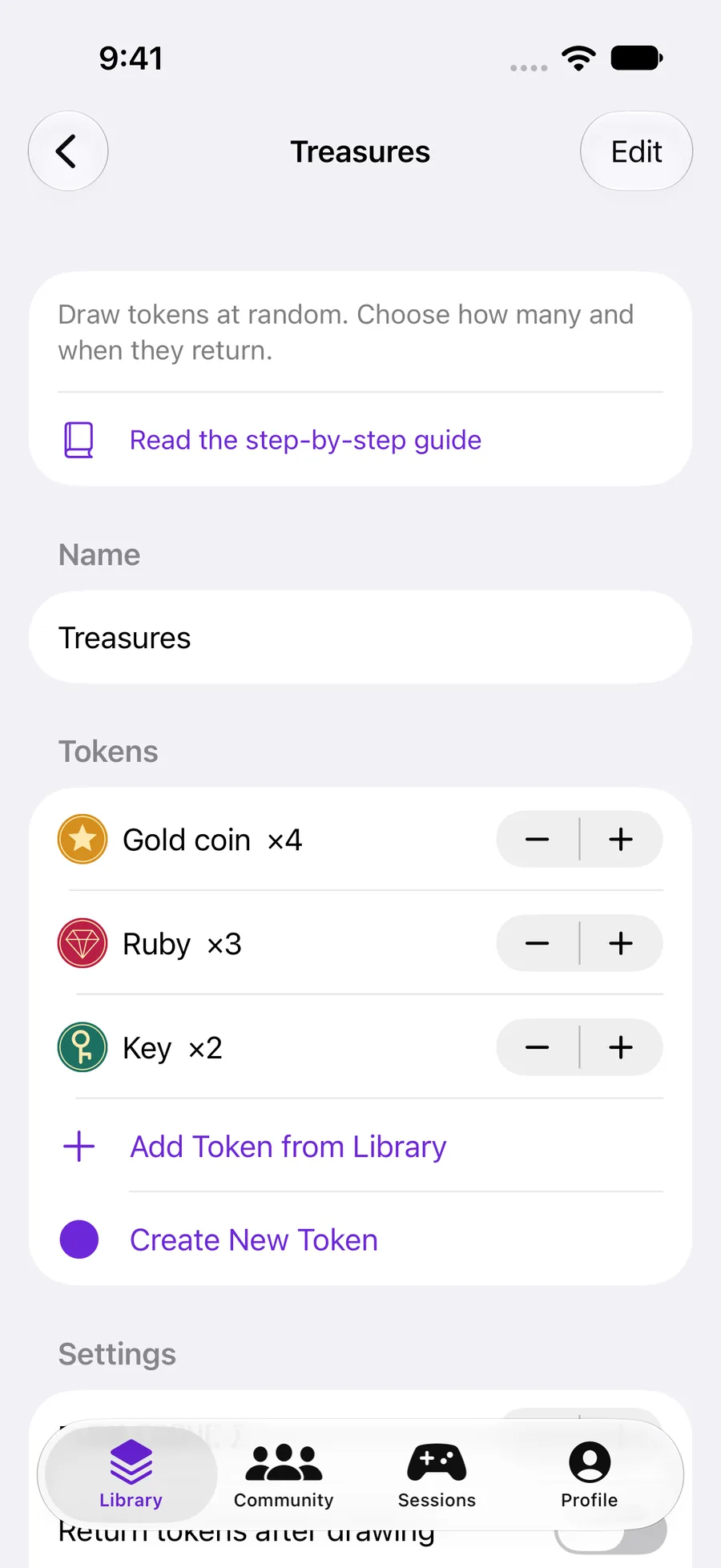
Give the set a name, then tap its bag row in Pieces. Use Add Token from Library or Create New Token. Each row represents a design; its quantity is the number of physical copies.
Try four gold coins, three rubies and two keys: nine tokens. More copies make a type more likely to be drawn.
 Enlarge screenshot ↗︎
Set the draw behavior
Start with Draw count 1. Return tokens after drawing puts a drawn copy back so it can be drawn again. With this off, copies stay out and the remaining pool changes.
When empty appears when automatic return is off. Wait for a reset keeps the bag empty; Refill itself returns eligible pieces on the next draw. An ordinary reset, or a new round in an evolving game, restores the bag.
Choose instead of drawing blindly
Return to the set overview and open How to play → Before playing. Visible pieces to take selects exact copies. Pieces available for a random draw selects a smaller pool, then draws randomly from it.
The bag still controls the number drawn and when drawn pieces return. The selection settings control when chosen copies can be selected again. Leave selection off for an ordinary random draw.
Add more bags or loose dice
Go back to Pieces to add another bag, reuse an existing bag design or add dice on the tray. There is still one saved set and one place for shared rules, selection, sessions and turn programs.
Shared makes everyone draw from the same bag. One each gives each player their own bag. Future purchases and rewards belong in Changes during play → All settings → Supply, not in the starting contents.
YOUR TEST
Check it works.
With nine tokens, draw count one and automatic return off, draw nine times. Verify what happens on the next draw, then try one bag per player.
If something feels off
The same token type appeared twice. Is the bag broken?
A type can have multiple copies. With four coins, drawing one still leaves three. Turning automatic return on also allows a drawn copy to appear again later.
How do I make players draw until they choose to stop?
Open How to play and choose Draw until you stop under Start with an example. Review and confirm it. Open the resulting step to choose which bags it uses.